UK IT Services looks after the computers, Microsoft 365 accounts and security of Harrow firms for a set fee per user each month. Your staff get one place to report a problem, and an engineer who already knows your set-up answers it. We are based in Crawley, so most fixes happen over a remote session, and anything that needs hands on the hardware is booked for a day that suits you.
Engineer triageUser, device and service impact checkedOwned
Secure remote supportResolve quickly when no site visit is neededFirst route
Onsite escalationEngineer attendance for physical infrastructureAs required
UKOne support route for your teamUsers know who to contact and how the issue will be owned.Harrow coverage
Microsoft 365
Cyber security
Windows & servers
macOS support
Azure & cloud
Networks & Wi-Fi
Backup & recovery
Remote & hybrid teams
Microsoft 365
Cyber security
Windows & servers
macOS support
Azure & cloud
Networks & Wi-Fi
Backup & recovery
Remote & hybrid teams
In brief
How our IT support works for a Harrow firm
You ring 020 3048 4048, send an email or log a ticket, and it lands with an engineer who has your device list, your Microsoft 365 tenant and the notes from every earlier job in front of them. They fix it, or tell you plainly what it needs and what it costs. Behind the scenes we apply updates, watch backups and check sign-in alerts.
Harrow is on the far side of London from our Crawley base, which matters less than it sounds: most office faults are a login, a mailbox, a sync or a printer, all handled on a remote session. Physical jobs, such as a new router or a desk for a new starter, are done on an agreed date.
One number for staff
Phone, email or portal, all to the same team.
Your set-up on record
Devices, licences and admin accounts listed.
Updates handled
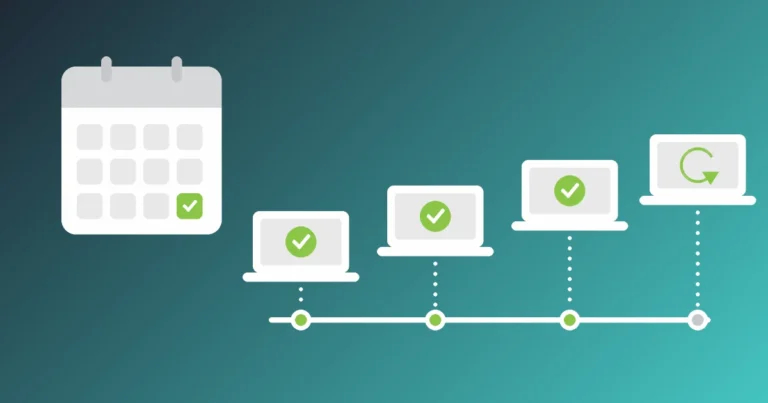
Patches applied in an agreed weekly window.
Plain answers
What it needs, what it costs, before we start.
Harrow in practice
Why IT in Harrow often looks different from a business park
Most of the borough was built as housing along the Metropolitan line between the wars, the suburbs sold as Metro-land. Firms here tend to work out of the buildings that came with that, and the IT has to fit them.
Converted semis and solid walls
A practice in a converted 1930s house on a Pinner or North Harrow side road usually has the router in the hall cupboard and staff in the back bedrooms. One consumer box rarely reaches. We fit wired access points room by room rather than adding extenders that halve the speed.
Offices above the shops
On Station Road, St Ann’s Road and College Road plenty of firms rent a first-floor office over a shop, sometimes with the broadband line shared or run in from next door. We check who owns the line and the equipment before anything else, because it decides what we can change.
Family firms and shared logins
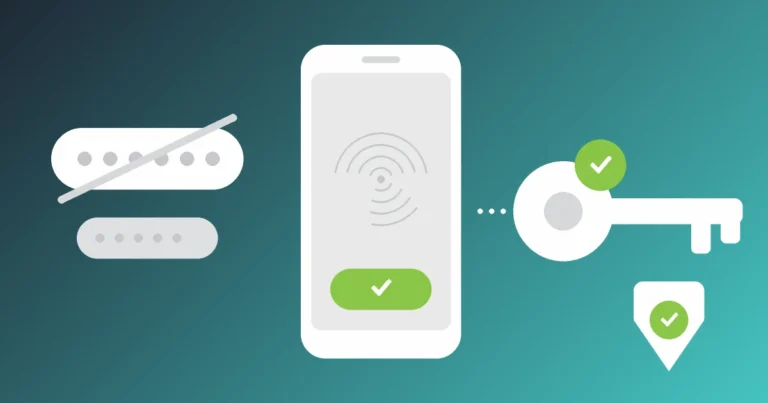
Many Harrow businesses are run by a family, with relatives helping out. That often means one email password known to four people. We move each person to their own account with MFA, so access can be removed cleanly when somebody steps back.
Business on personal email
A sole trader who took on staff can still be running the company from a free Gmail or Outlook.com address. We set up proper accounts on your own domain in Microsoft 365, move the old mail across, and close the gap that lets someone pose as you.
Directors working from home
Pinner, Stanmore and Hatch End have a lot of directors and consultants who work from home most of the week. Their laptop sits on the family Wi-Fi next to games consoles and smart TVs, so we encrypt it, keep it patched and make sure work files sit in OneDrive, not on the desktop.
Addresses across three boroughs
Kenton, Queensbury and Edgware are each split with Brent or Barnet, and an HA postcode does not always mean the London Borough of Harrow. It makes no difference to our price, but it does to which council your landlord or licensing deals with.
Two set-ups we see a lot
Practices with client records, and teams spread across homes
Harrow has plenty of small professional practices and home-based teams. Each has one weak point that tends to get missed until something goes wrong.
Practices with a server in the cupboard
Small accountants, solicitors and clinics in the town centre and Pinner often still keep client files on a server or network drive bought years ago, backed up to a USB disk somebody takes home. If that box fails or is encrypted by ransomware, the practice stops. We find out what is on it, check whether the backup actually restores, and then either look after the server properly or move the files to SharePoint with retention set to match your professional rules. Clinics and dental practices also hold health data, which the ICO treats as special category, so access is restricted per person rather than shared.
Some Harrow firms have six or eight people and no premises: everyone works from home and meets at a client or a café. The risk is that every laptop is set up differently and nobody can see them. We enrol each machine in Intune so updates, encryption and antivirus are applied from the centre, give every person their own Microsoft 365 account with MFA, and can lock or wipe a laptop the same day it is lost. When someone leaves, their access ends that afternoon.
Shapes of business, not named clients. Most firms fit one closely enough to start the conversation.
First-floor practice, 5 to 15 people
We are the IT department
An accountancy, law firm or agency with one office in the town centre and no IT person. We take the whole thing on, from the helpdesk to the firewall, and you deal with one supplier.
A consultancy or online retailer with staff at home in Pinner, Stanmore and further out. No office kit to look after; the work is in keeping every laptop and account secure wherever it is.
A larger practice or school with someone in-house who handles the day to day but needs a second pair of hands for holidays, security work and bigger projects.
The London Borough of Harrow was created in 1965 from the old Municipal Borough of Harrow, with the same boundaries. It runs from Harrow on the Hill in the south to the Hertfordshire border at Harrow Weald Common and Stanmore. We split it into five areas when planning visits.
Harrow town centre and the HillSt Ann’s Road, Station Road and College Road, the offices round Harrow-on-the-Hill station and Lowlands Road, and the village streets on the Hill itself.
Wealdstone, Headstone and Harrow WealdWealdstone High Street and the streets near Harrow & Wealdstone station, Headstone Drive, and the shops and offices along the Uxbridge Road through Harrow Weald.
Pinner, Hatch End and North HarrowPinner High Street and Bridge Street, Hatch End Broadway, and the parades by North Harrow and Headstone Lane stations.
South Harrow, Rayners Lane and West HarrowNortholt Road and South Harrow’s small industrial estates, Roxeth, Rayners Lane’s shopping parade and the streets round West Harrow.
Stanmore, Canons Park and the eastStanmore Broadway, the trade and light-industrial units off Honeypot Lane, Canons Park, Belmont, and the Harrow side of Kenton, Queensbury and Edgware.
Which page is yours?
Wembley, with HA0 and HA9 postcodes, is in Brent and covered by our London page, as are Barnet’s half of Edgware and Mill Hill. Northwood, Eastcote and Ruislip are on the Hillingdon page. Bushey, just over the county line, is on the Watford page.
HA1 Harrow, the HillHA2 South and North HarrowHA2 Rayners LaneHA3 Wealdstone, KentonHA3 Harrow Weald, BelmontHA5 Pinner, Hatch EndHA7 StanmoreHA8 Edgware, Canons Park
On the edge? Give us the postcode and we will tell you. The work and the price are the same either way.
The drive from Crawley
How long it takes us to get to Harrow
Harrow is north-west London and we are south of Gatwick, so a visit means going a long way round the M25. For South Harrow, Rayners Lane and the town centre the engineer leaves the M25 at junction 16, takes the A40 towards London and turns north through Northolt. For Stanmore, Edgware and Harrow Weald it is usually quicker to stay on to junction 21, come down the M1 to junction 4 and cut across on the A41 and the A410. Either way it is rarely under an hour and a quarter, so we agree a date rather than promise an arrival time.
The Harrow jobs we finish over a remote connection
A partner whose Authenticator app did not move to their new phone. A receptionist who cannot open the shared inbox. A laptop that ran an update overnight and now will not connect to the VPN. A scanner that has stopped sending to email. None of these needs a visit: your member of staff accepts a remote session, watches what the engineer does, and is usually working again before the call ends. If you want to try the first of those yourself, our guide to moving Authenticator to a new phone walks through it.
We charge per user per month, plus VAT, and Harrow pays the same starting rates as everywhere else we work. The free audit fixes the final figure, since an on-premises server, a second site or a specialist practice system adds work, and the agreement states how many visits are included. As an example, a six-person accountancy wanting security monitoring and phishing training on top of support would start at 6 × £69.95, which is £419.70 a month before VAT. One-off jobs, such as moving a practice from Gmail to Microsoft 365, are quoted at a fixed price first. For how firms across the industry price this work, read our guide to IT support costs.
Per user per month, plus VAT. Full details are on the packages page.
Remote IT Support — from £29.95Managed IT Support — from £49.95Managed IT + Security — from £69.95Complete IT Support — from £94.95One rate for the whole boroughVisit allowance in writingFixed quotes for projectsFirst audit free
Moving to us
Switching IT provider in Harrow without a gap in cover
The awkward part of a change is rarely technical. It is usually an admin password that only the old supplier has, or a domain registered to someone who left years ago. This is the order we work in, and our offboarding checklist covers the same ground for staff who leave.
01
Find out who holds what
Before notice is given we list every login that matters, from the domain name and Microsoft 365 to the router and the practice software, and note who currently has it.
02
Agree a handover date
We read the old contract for the notice period and what the provider must hand back, then set a changeover that avoids a gap in cover or paying two firms.
03
Take over quietly
Our monitoring goes onto each device in the background over a few days. Staff keep working, and anything we cannot reach shows up as a gap to chase.
04
Report what we found
Within the first month you get a short written list: old accounts still active, backups that were not running, kit out of support. Then we fix them in order.
Common in Harrow
Practices, schools, brokers and community groups
Each of these pages explains the software, regulation and security questions that come with that kind of organisation.
Which areas, small teams, travel time, home offices, moving email and cost.
Which parts of Harrow do you look after?
All of the borough: Harrow town centre, Harrow on the Hill, Wealdstone, Headstone, Harrow Weald, Pinner, Hatch End, North Harrow, South Harrow, Rayners Lane, West Harrow, Roxeth, Stanmore, Canons Park, Belmont, and the Harrow side of Kenton, Queensbury and Edgware. Wembley is on our London page and Northwood on the Hillingdon page.
Do you offer managed IT support in Harrow for firms with only a few staff?
Yes. Pricing is per user, so a team of three pays for three, and the agreement is sized to what a firm that small actually needs. Our entry package covers help by phone and remote session only, which suits firms that rarely need anyone to visit.
How quickly can an engineer get to Harrow?
It is a long drive round the M25 from Crawley, rarely under an hour and a quarter, so we book visits for an agreed date rather than promise an arrival time. Remote help normally starts the same working day. If you need someone at the door within the hour, a provider with engineers in north-west London will suit you better.
We run the business from home in Pinner. Is that something you support?
Yes. We secure the work laptops, set up Microsoft 365 on your own domain, and keep files in OneDrive or SharePoint so nothing depends on one machine. We do not support the family’s personal devices, but we can make sure they are kept apart from your work kit.
Can you move us off a personal Gmail address?
Yes. We register or recover your domain, set up Microsoft 365 mailboxes, copy the old mail, contacts and calendars across, and switch the domain’s records so new mail arrives in the right place. It is a fixed-price job, quoted after we have seen how much mail there is.
How much does IT support in Harrow cost?
Our four packages start at £29.95, £49.95, £69.95 and £94.95 per user per month, plus VAT, and the rates are the same across Harrow. The free audit tells you which package fits and how many visits to allow for.
Next to Harrow
Nearby areas with a page of their own
Hillingdon starts west of Pinner at Eastcote and Northwood. Watford and the rest of Hertfordshire are just north of Stanmore and Hatch End. Enfield is across Barnet to the east, and Westminster is where the Metropolitan and Chiltern lines from Harrow come in at Baker Street and Marylebone. Brent, Barnet and the other boroughs are on the London page.
Very happy with the IT support service. Issues are handled promptly and without disruption.
ZW
Zachary WattsGoogle review
★★★★★
Professional service with fast response times. Highly recommended.
GC
Giulia CostellaGoogle review
★★★★★
A highly capable professional who easily finds solutions to problems and learns quickly.
Free and without obligation
Book a free IT audit for your Harrow firm
Most of the audit is remote: we check your Microsoft 365 settings, the laptops and PCs your staff use, how backups run, whether your domain can be spoofed, and who has admin rights. If there is a server or a network cabinet worth seeing, we arrange a visit. You get a short written report with the serious risks at the top and an estimated cost next to each.