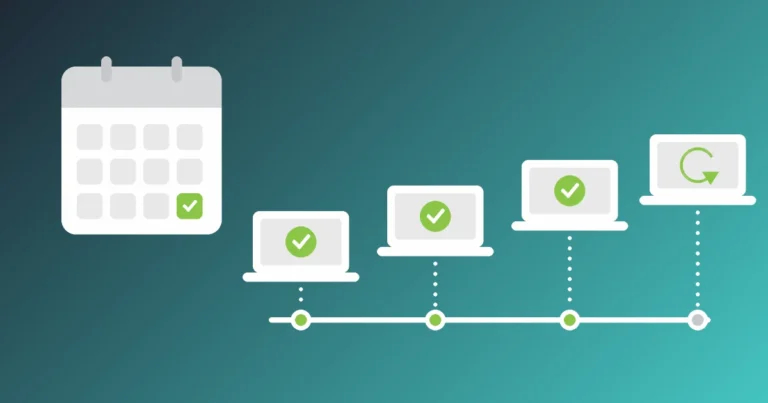
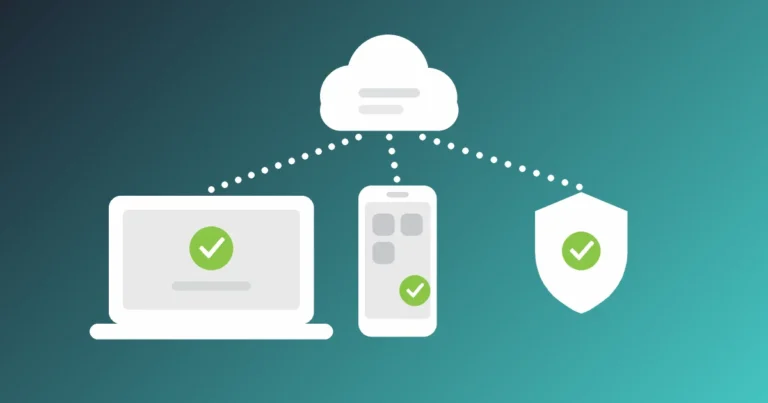
Failures are usually preceded by warnings
A disk reporting errors, a volume filling steadily, a service restarting each night. Monitoring is what turns those into a planned fix instead of an outage.

A business server is usually fine right up until it is not, and by then it is carrying the files, the database and the application that everybody needs. We monitor servers so the warning signs are acted on, keep them patched and backed up properly, and test that the backup actually restores — which is the part most people never check.
Server support is the ongoing maintenance, monitoring and repair of the servers a business depends on, whether they sit in a cupboard on site, in a data centre or in the cloud. It covers patching and updates, watching storage, memory and services, managing backups and proving they restore, keeping the operating system within vendor support, and dealing with faults when they happen.
A disk reporting errors, a volume filling steadily, a service restarting each night. Monitoring is what turns those into a planned fix instead of an outage.
Backup jobs can report success for months while producing something that will not restore. The only way to know is to restore from it periodically and see.
A five-year-old server running a supported operating system can be perfectly sound. A newer one running something the vendor has stopped updating is a problem, and an assessable one.
Plenty of servers are kept because nobody is certain what still depends on them. Establishing that is often the cheapest piece of work available.
Most of it is unglamorous and scheduled. That is the point: the servers that cause trouble are almost always the ones nobody has looked at since they were installed.
Continuous checks on disk health and free space, memory and processor load, critical services, event logs and the backup job, with alerts going to us rather than to an inbox nobody reads.
Operating system and firmware updates applied on an agreed schedule, with reboots planned around the business rather than at whatever hour the update decides.
Backups configured for what actually matters, checked daily, and proven by restoring from them periodically. A report saying "successful" is evidence that a job ran, not that data can be recovered.
Where several servers run on one physical host, the host itself needs managing too: resource allocation, snapshots that were never tidied up, and the fact that one failure takes everything with it.
Administrative accounts kept separate from everyday ones, remote access protected, unnecessary roles and services removed, and the server included in whatever endpoint protection covers the rest of the estate.
For servers on site, the things around them matter: a working uninterruptible power supply with a battery that has not expired, somewhere that does not overheat, and a door that locks.
The maintenance is broadly the same wherever it runs. What changes is who is responsible for the hardware underneath, and what happens when that hardware fails.
You own the hardware and everything around it, which means faster local access and total responsibility.
Your server, somebody else's building, power and connectivity.
No hardware to own, but the operating system, patching, backup and security are still your responsibility.
We will not quote for ongoing support of a server we have not looked at, because the condition varies enormously and the honest answer sometimes is that it should be replaced rather than maintained.
What the server runs, what depends on it, its operating system and support status, storage health and capacity, how it is backed up and when a restore was last proven.
What is urgent, what is a risk worth planning for and what is fine. Including, where it applies, the case for retiring the server rather than maintaining it.
Fix the immediate risks first: backups that do not work, storage about to fill, missing updates, administrative access that is too widely held.
Monitoring in place, patching on a schedule, restores tested periodically, and a documented record kept current so the next person is not starting from nothing.
Not every server deserves another three years of maintenance. Quite a few exist only because moving what they hold never reached the top of anyone's list.
Sensible where the operating system is still supported, the hardware is sound, and the applications it runs genuinely need to be there.
Where the operating system is out of support, the hardware is failing or capacity has run out, but the role the server performs is still required.
File shares, email and some applications often no longer need a server at all. Moving files to Microsoft 365 removes a box to maintain, though it is a project rather than a switch.
Some servers are kept purely because nobody is sure what uses them. Establishing that, archiving what matters and switching it off saves licence cost, power and risk.
This page is about keeping servers working. If one has failed and the business cannot operate, that is an incident and it is handled differently.
Work has stopped, a shared drive is unreachable or a critical application will not start. That needs triage immediately rather than a scheduled review.
Slow at month end, a nightly service restart, warnings in the event log, a volume that keeps filling. Still working, but telling you something.
Businesses use UK IT Services for practical technology support, planned projects and ongoing assistance.
Discuss Your IT Requirements






Real feedback from customers who have used our website, support and technology services.
4.7 out of 5 on Google. Verified reviews from businesses we support across Crawley, London and the South East. Read them in full on our Google Business Profile.
Very happy with the website maintenance service. Updates are handled promptly and without disruption.
Professional service with fast response times. Highly recommended.
A highly capable professional who easily finds solutions to problems and learns quickly.
Practical notes on the records, routines and planning that decide how a business copes when a critical system stops.
Usually about age, backups and whether the server is needed at all. Plain answers to each below.
Tell us what the server runs and roughly how old it is. We will establish its support status, storage health and whether the backup restores — then tell you plainly whether to maintain it, replace it or move what it does.
Fields marked * are required. If a server is down right now, call 020 3048 4048.