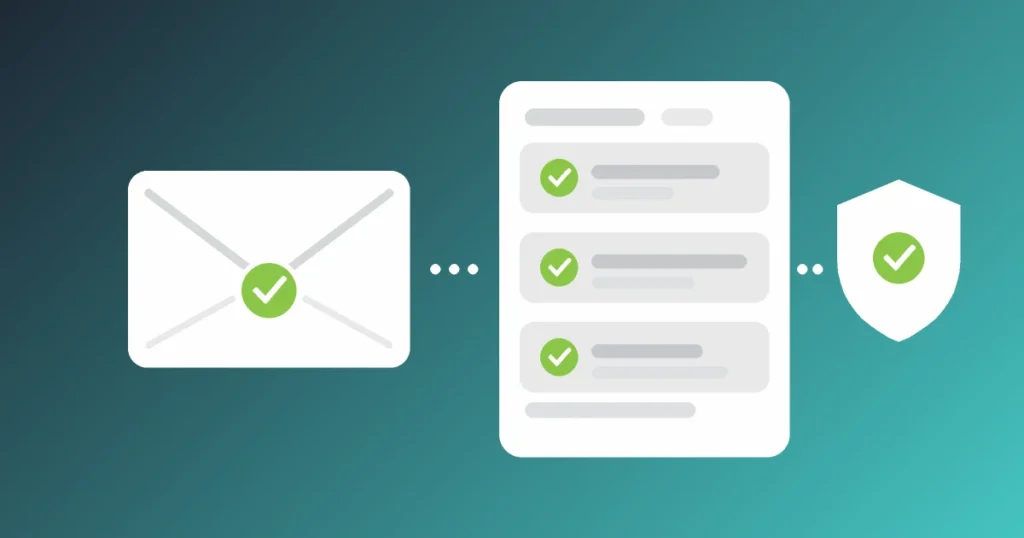
SPF, DKIM and DMARC are three DNS records that let other mail servers check whether an email claiming to come from your domain really did. SPF lists the servers allowed to send for you, DKIM adds a signature that proves the message was not altered, and DMARC tells the receiving server what to do when a message fails, and sends you reports about it.
Quick answer: SPF says which servers may send email for your domain. DKIM signs each message so the receiver can verify it. DMARC checks that at least one of them passes for the same domain shown in the From address, then applies your policy: none, quarantine or reject. A business domain needs all three, with DMARC moved gradually from p=none to p=reject.
In this guide: what each record actually checks, why a message can pass SPF and still fail DMARC, and a safe order for tightening your policy without blocking your own invoices.
What SPF, DKIM and DMARC each do
Email was designed with no way to prove who sent a message. Anyone can put your address in the From line, the same way anyone can write your return address on an envelope. These three records are the fix that the industry bolted on afterwards, and each one covers a gap the others leave.
| Record | Where it lives | What it proves |
|---|---|---|
| SPF | A TXT record on your domain | The server that delivered the message is on your approved list |
| DKIM | A public key in DNS (CNAME records in Microsoft 365) | The message was signed by the domain in its signature and has not been changed since |
| DMARC | A TXT record at _dmarc.yourdomain.co.uk |
SPF or DKIM passed for the domain the recipient actually sees, and what to do if neither did |
None of them encrypts anything or keeps email private. They exist to stop impersonation, which is why they matter so much for business email compromise, where a fake invoice or a fake request from the managing director is the whole attack. They also affect deliverability, because the big mailbox providers now treat a domain without them as suspect.
SPF: the list of servers allowed to send
An SPF record is one line of text. For a business that sends only through Microsoft 365, it looks like this:
v=spf1 include:spf.protection.outlook.com -all
The include: part points at Microsoft’s own list of sending servers. The ending tells receivers what to do with anything not on the list: -all means treat it as a fail, ~all means a soft fail. Microsoft recommends -all for Microsoft 365 domains, and its SPF setup guidance explains why: when a message fails a soft ~all and carries no DKIM signature, the DMARC policy is in effect ignored.
Three mistakes account for most broken SPF records:
- Two SPF records on one domain. Only one is allowed. Adding a second one for a new mailing tool, instead of editing the first, makes SPF return a permanent error for everything.
- Too many lookups. SPF allows no more than 10 DNS lookups. Every
include:,a,mx,existsandredirectcounts, and so does every include nested inside those. Four or five marketing and helpdesk tools can push a record over the limit, at which point SPF fails outright. - Typos. A trailing full stop, an equals sign instead of a colon, or a space after
include:breaks the record silently.
SPF has one limitation that matters later. It checks the hidden envelope sender used between mail servers, not the From address your recipient reads. A spoofed email can pass SPF perfectly well for some other domain while showing your name in the From line. That is the gap DMARC closes.
DKIM: the signature that survives forwarding
DKIM works differently. Your mail service signs each outgoing message with a private key and adds the signature to the message headers. The receiving server fetches the matching public key from your DNS and checks the signature. If anyone altered the body or key headers on the way, the check fails.
Because the signature travels inside the message, DKIM usually survives forwarding, where SPF does not: a forwarded message arrives from the forwarder’s server, which is not on your SPF list. The NCSC makes the same point in its anti-spoofing guidance, and it is why a domain that relies on SPF alone tends to see failures from mailing lists and auto-forwarding rules.
The Microsoft 365 default catches people out
Microsoft 365 signs outbound mail automatically, but with your yourcompany.onmicrosoft.com domain, not your own. Until you turn on DKIM for your custom domain, messages from accounts@yourcompany.co.uk carry a signature for a domain the recipient never sees. It passes DKIM and still does nothing for DMARC.
Turning it on means publishing two CNAME records, selector1._domainkey and selector2._domainkey, then enabling signing in the Microsoft Defender portal under Email authentication settings. Take the exact CNAME values from the portal itself; they include a code specific to your tenant, so values copied from an article will not work. If you need a hand with the tenant side, that is routine work for our Microsoft 365 support team.
Why DMARC can fail when SPF and DKIM pass
This is the part most explanations skip, and it causes most of the confusion. DMARC does not just ask “did SPF pass?” and “did DKIM pass?”. It asks whether either one passed for the same domain as the From address. That match is called alignment.
A message passes DMARC if SPF passes and aligns, or DKIM passes and aligns. It fails only when both alignment checks fail. Alignment is relaxed by default, so bounces.yourcompany.co.uk counts as aligned with yourcompany.co.uk, but a completely different domain does not.
| Sender | What happens | DMARC result |
|---|---|---|
| Microsoft 365 with custom DKIM on | SPF and DKIM both pass for your domain | Pass |
| Microsoft 365 with default DKIM only | SPF passes and aligns; DKIM passes for onmicrosoft.com and does not align | Pass, but on SPF alone, so forwarded mail fails |
| Newsletter or CRM tool on default settings | SPF passes for the tool’s own bounce domain; DKIM signed with the tool’s domain | Fail |
| Website contact form sending as your domain | The web host’s server is not in SPF and nothing is signed | Fail |
The third row is the one that bites. Most newsletter and invoicing platforms can sign with your domain, but only after you add the DNS records they give you. Until then, their messages pass by their own standards and fail yours. When you move DMARC to reject, that is the mail that disappears.
If you are looking at a failing message, the Authentication-Results header shows all of this in one place: compare the smtp.mailfrom and header.d domains with header.from. Where neither matches, you have an alignment problem, not a missing record.
Moving DMARC from p=none to p=reject safely
A DMARC record is another TXT record, published at _dmarc on your domain. A sensible starting point is:
v=DMARC1; p=none; rua=mailto:dmarc-reports@yourcompany.co.uk
With p=none, nothing changes for delivery. What you gain is the rua address: large receivers send a daily aggregate report there, an XML file listing every server that sent mail using your domain and whether it passed. Point it at a shared mailbox, not a person’s inbox, and expect the raw files to be unreadable without a reporting tool to turn them into something readable. Microsoft 365 sends aggregate reports but does not send the per-message failure reports that the ruf tag requests.
Microsoft’s DMARC rollout guidance sets out a staged route, and it is the one we follow:
- Monitor at p=none. Read the reports for several weeks. Every legitimate service sending as you should appear, and each one needs SPF or DKIM aligned before you go further.
- Fix the senders you find. Add DKIM records for each platform, remove services you no longer use from SPF, and move high-volume marketing to a subdomain such as
news.yourcompany.co.ukso it cannot damage the reputation of your everyday mail. - Move to p=quarantine in steps. The
pcttag applies the policy to a share of failing mail, so you can go through 10, 25, 50, 75 and 100 per cent while watching for complaints of missing email. - Move to p=reject. Failing messages are now refused outright. Keep reading the reports, because a new tool added next year will fail until someone sets it up properly.
- Do the main domain last. Start with a low-volume subdomain if you have one. Subdomains inherit the parent’s DMARC policy unless they publish their own.
Timing note: there is no fixed number of weeks per stage. A five-person firm sending only from Microsoft 365 may be ready for reject within a month; a business with a CRM, an online shop and three agencies sending on its behalf will take longer. Let the reports decide.
What Gmail and Outlook now require from senders
Since 1 February 2024, Google has required every sender to Gmail to have SPF or DKIM set up. Anyone sending 5,000 or more messages a day to personal Gmail accounts must have SPF, DKIM and DMARC, with the From domain aligned to SPF or DKIM; a DMARC policy of p=none is accepted at that level, according to Google’s sender guidelines at the time of writing. Microsoft announced similar rules in 2025 for high-volume senders to Outlook.com, Hotmail and Live addresses.
Most small businesses never get near 5,000 a day. The rules still matter, for two reasons. Providers judge everyone more harshly when authentication is missing, so ordinary invoices and quotes land in junk more often; our guide to why business emails go to spam covers the other causes. And the requirement is a floor, not a target: p=none keeps you deliverable but does nothing to stop someone sending fake invoices in your name.
Checks to run on your own domain this week
You do not need to read raw DNS to get a first picture. The NCSC’s free Email Security Check tests a domain against its guidance, and plenty of online tools will run an SPF DKIM and DMARC lookup in one go. Then work through these:
-
Exactly one SPF recordTwo records, or one with more than 10 lookups, fails for every message.Check: search the domain’s TXT records for every line starting v=spf1.
-
DKIM on for your own domainMicrosoft 365 signs with onmicrosoft.com until you switch it on.Check: the DKIM tab in Email authentication settings should show your domain as enabled.
-
Every sending service accounted forYour newsletter tool, CRM, accounts software and website forms may all send as you.Check: list them, then confirm each has DKIM or SPF set up for your domain.
-
A DMARC record with a report addressNo record means no reports and no policy.Check: look up the TXT record at _dmarc on your domain and confirm the rua mailbox exists.
-
A plan to reach p=rejectA domain left at p=none for years protects nobody from spoofing.Check: put a date in the diary to review the reports and tighten the policy.
-
Parked domains locked downOld or defensive domains that never send mail are easy to spoof.Check: publish v=spf1 -all and a DMARC record of p=reject on each, with no DKIM.
Spoofed mail is only one route in, so pair this work with staff training on how to spot phishing attacks. DMARC stops criminals using your exact domain; it does nothing about a lookalike domain one letter different.
Frequently asked questions
Do I need all three, or is SPF enough?
You need all three. SPF alone checks only the hidden envelope sender, so it cannot stop someone putting your address in the visible From line, and it breaks when mail is forwarded. DKIM adds a signature that survives forwarding, and DMARC is the only one of the three that ties the checks to the address your recipient actually sees.
Will setting DMARC to reject stop our own emails arriving?
It can, if you skip the monitoring stage. Any service sending as your domain without aligned SPF or DKIM will be refused once the policy is reject. That is why you start at p=none, read the aggregate reports, fix each legitimate sender, and move up through quarantine first. Done in that order, real mail keeps arriving.
How long do DNS changes take to work?
Usually minutes to a few hours, depending on the record’s time-to-live and your DNS host. Microsoft recommends a TTL of at least an hour on SPF records. Microsoft 365 can take a while to detect new DKIM records before it lets you enable signing, so allow some time between publishing them and switching DKIM on.
Does DMARC stop all phishing emails?
No. DMARC at reject stops criminals sending email that uses your exact domain in the From address. It does not stop lookalike domains, display-name tricks, or attacks sent from a genuine mailbox that has been compromised. It removes one common route, which is why it sits alongside multi-factor authentication and staff awareness rather than replacing them.
Getting these three records right is a one-off job followed by a light review whenever you add a new tool that sends email. If yours have never been checked, start with the NCSC test above, turn on DKIM in Microsoft 365, and publish a monitoring DMARC record this week.
Want Your Email Domain Checked and Locked Down?
Our cyber security team reviews your SPF, DKIM and DMARC records, finds every service sending as you, and takes your domain to a reject policy in stages.